This post discusses my experiences Hunting with a GoPro. It has been about a year since I got my GoPro to record many of my Pheasant hunts. It has been a learning experience, to say the least. I have been able to successfully capture many memories but that is offset by the ones that have been missed.
This post is a recap of what I have learned, starting with how I mounted the GoPro, how I download the video files, editing, actual GoPro problems and most importantly, the mistakes I have made.
Mounting the GoPro
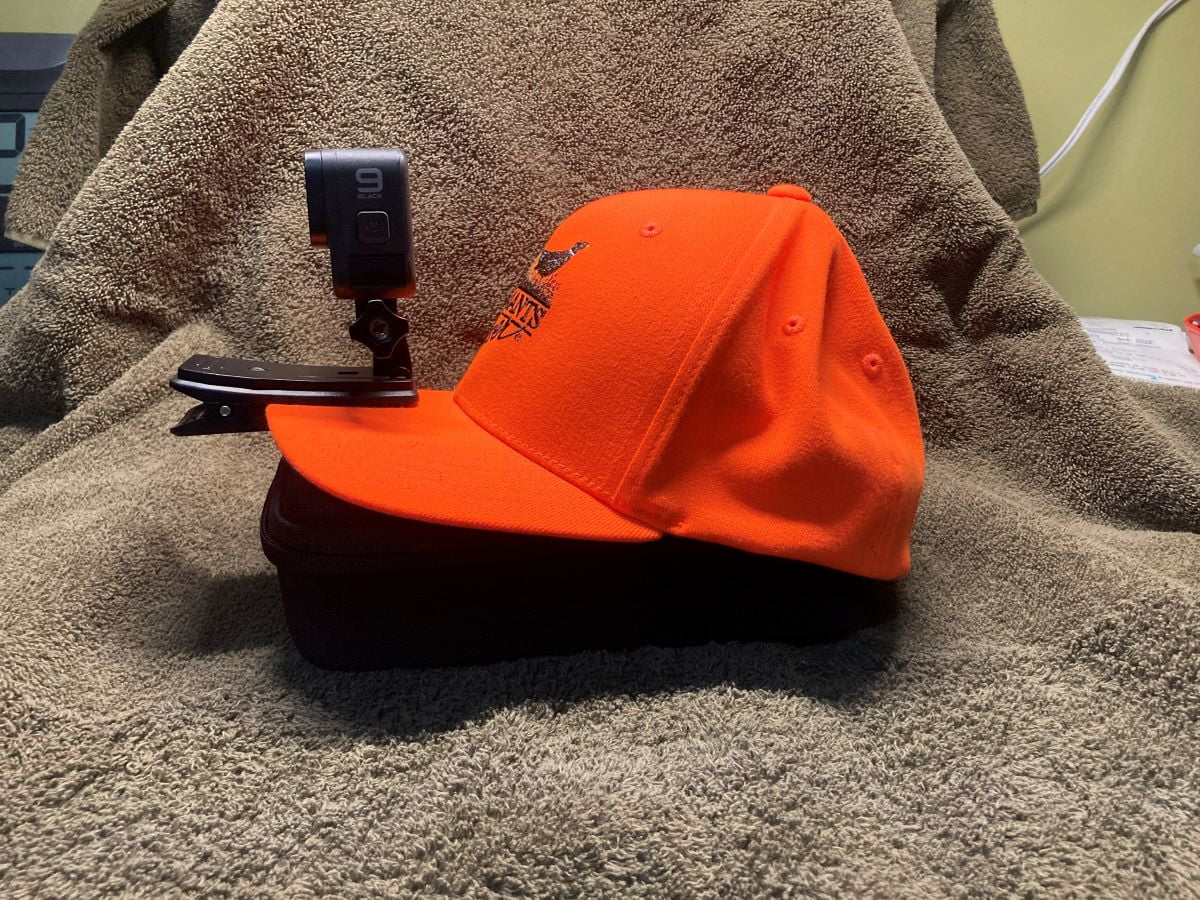
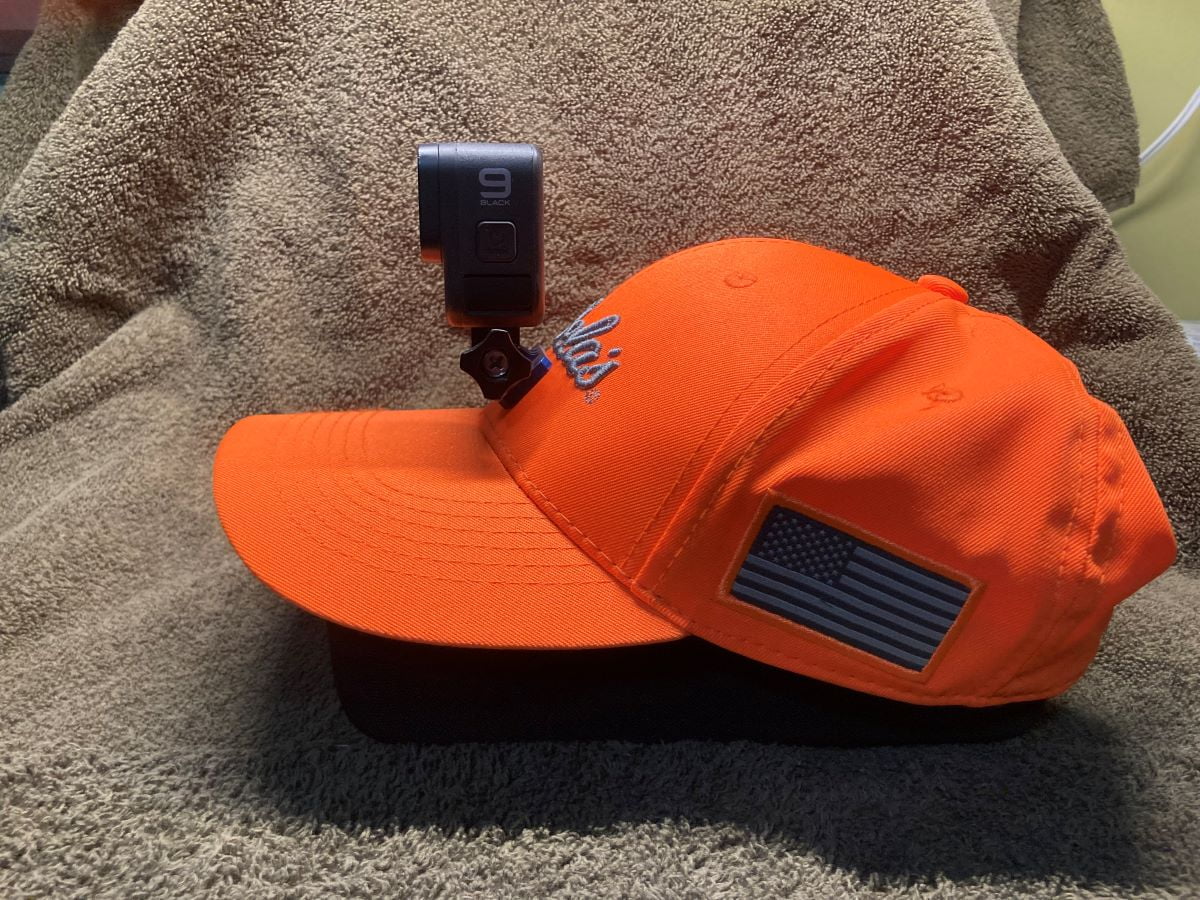
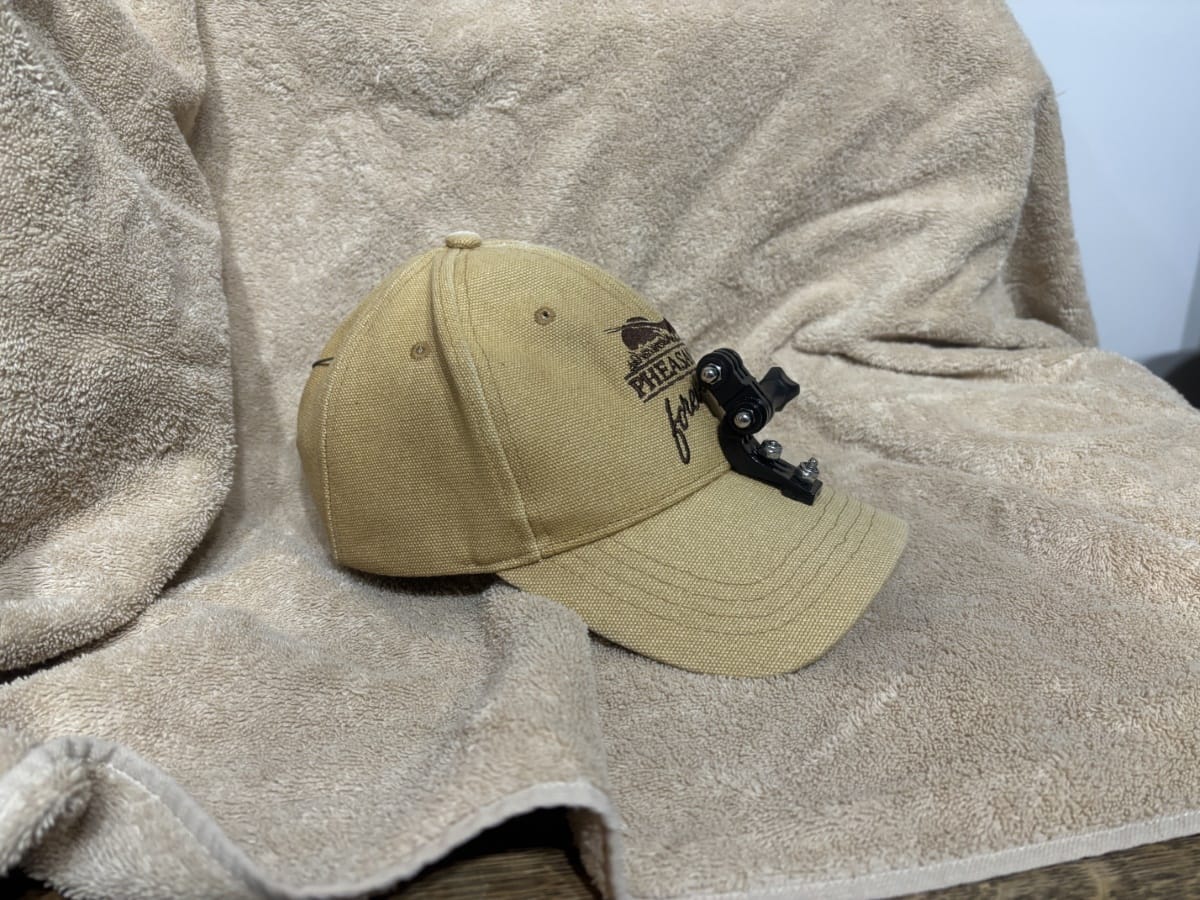
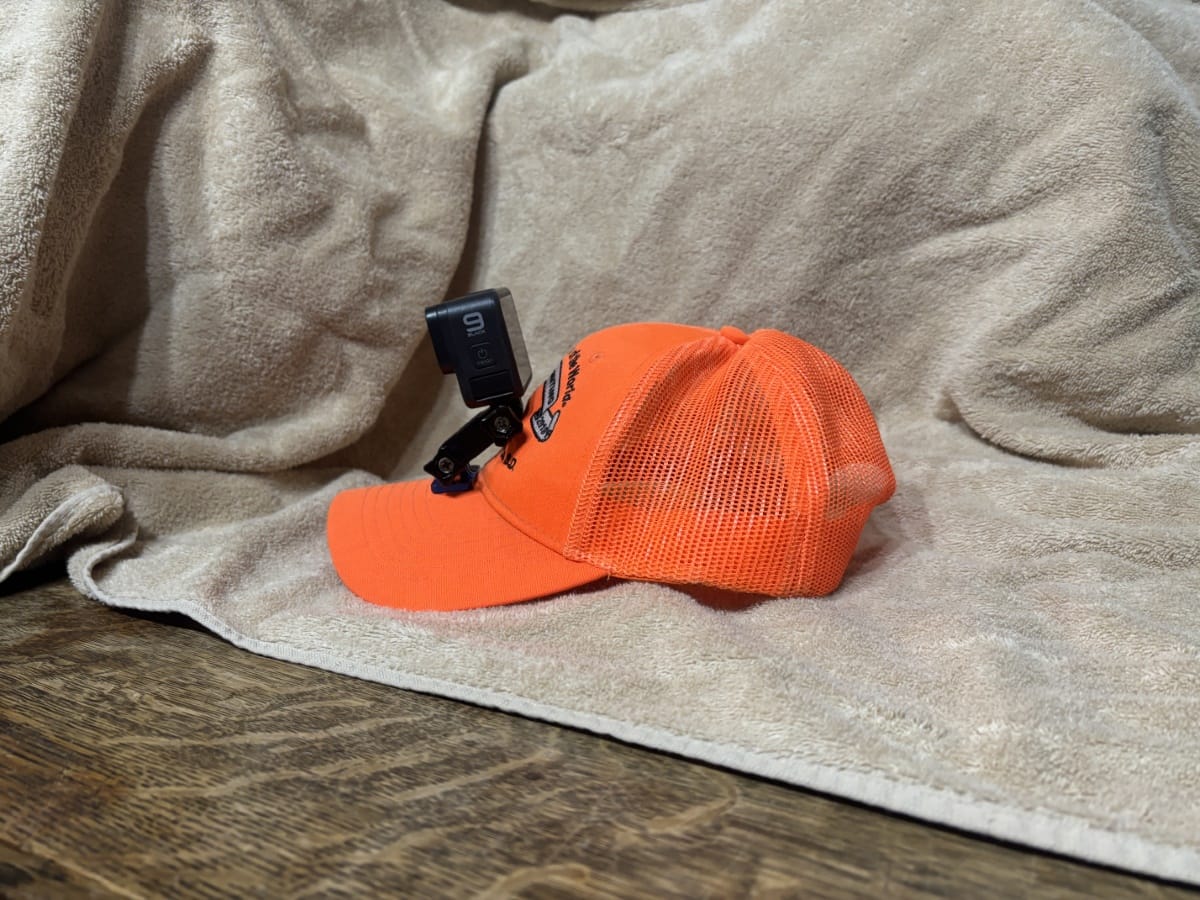
One of the first challenges when I got the GoPro was how to mount it so I could record video while hunting. When I bought the camera, I also bought a kit with all different mounting systems including a mount that clamps onto the bill of a hat. That proved to be too heavy and cumbersome.
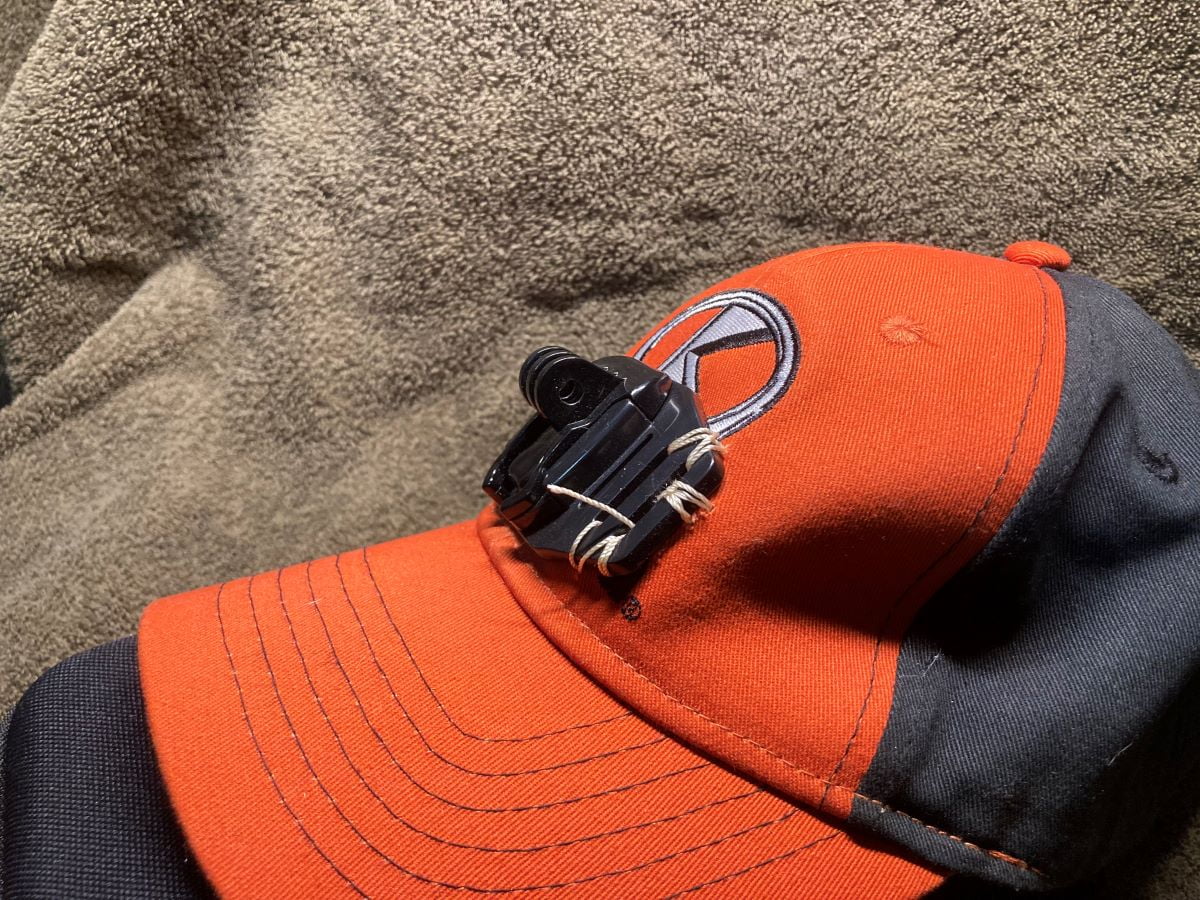
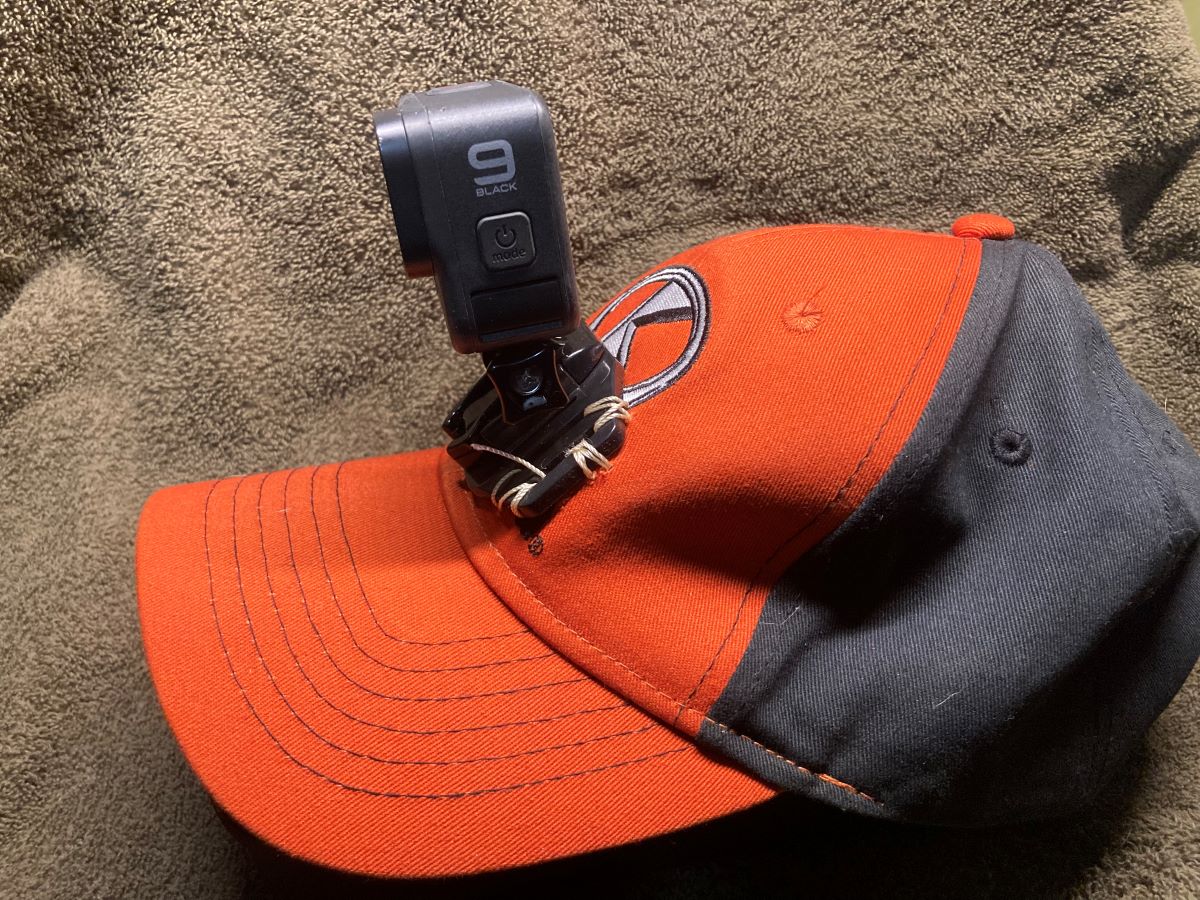
Next, I took a mounting plate from the accessory kit and sewed it to the front of a hat. That worked reasonably well but looked like a kludge.
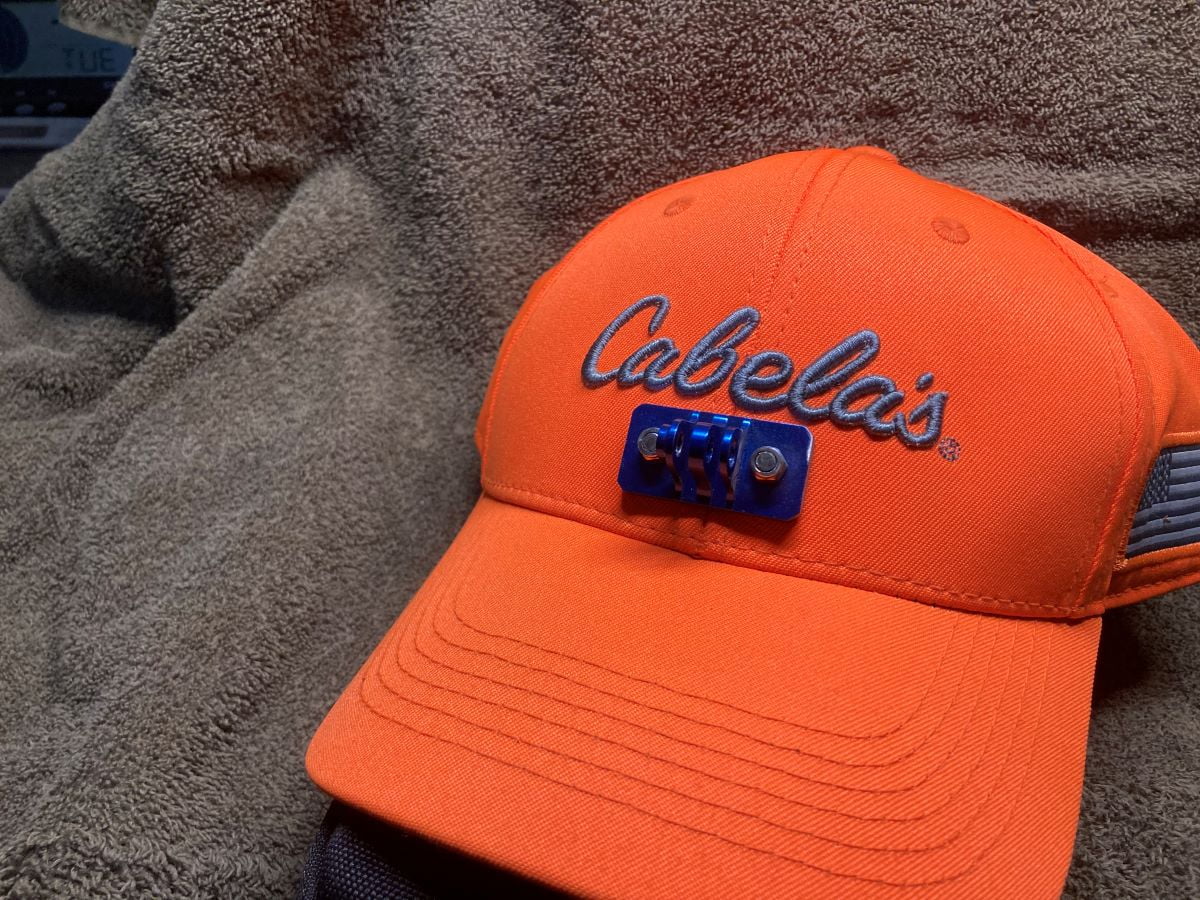
So I did a bunch of Internet research. I finally found a mounting plate meant for helmets that I thought I could adapt. With some messing around, I was able to get the mounting plates fastened to a couple of hats. This works, although there are some usage challenges, as noted below. One thing to keep in mind is that the cameras are not light. You know that there is a camera on your head and by the end of the day my forehead can feel it. (Link to helmet mount)
Update: Mounting the camera to a hat proved to be a bigger challenge than I thought. My latest mounting technique is detailed in a new post called “New GoPro Mount for Pheasant Hunting“.
Accessing Videos
When I first started recording videos I struggled with downloading the captured files. I started out by using the GoPro Web site and their automatic process. That was a failure. The files took hours to upload to the web site, if they even uploaded at all. It was very frustrating to have to spend a couple days trying to upload files from a hunt.
I found a much easier solution. I bought a SD card reader and use a Micro SD adapter to connect the card to my PC. Then I can simply copy the files from the Micro SD to the hard disk. Using this method has allowed me to record almost everything and then just delete what I do not want to keep.
Editing
As I started to actually capture video it quickly became obvious that I would need to edit them. The GoPro web site provides some basic editing capability but nothing close to what was needed.
Back to the Internet. I did more research and tried a couple of different software solutions. What I ended up using is DaVinci Resolve. I use the free version and it has way more capability than I will likely ever use.
Update: I eventually decided to upgrade to the “Studio” version. The Studio version offers different methods to render videos that are much smaller to upload plus there features available that I never thought I would need that I now use all of the time.
Learning DaVinci was not that hard because there are a large number of YouTube videos available that do a good job explaining the process. Just over the course of this season I have learned how to do several things that I think enhance the videos:
- Adding titles and page headers.
- Generating higher resolution videos to eliminate some image wash out that was occurring on prairie sequences.
- Learning how to add voice-overs.
GoPro Problems
While the GoPro Hero 9 that I bought is a good camera, there are a few problems that have caused me to miss out on action that I really would have liked to capture or that have made the camera frustrating to use.
Problem 1: Voice commands do not work as advertised. I use the voice commands “GoPro start recording” and “GoPro stop recording” to start and stop the camera. What I discovered is that either command will just toggle recording. For example, if the camera is not recording and I say “GoPro stop recording” it will start recording. Or if it is recording and I say “GoPro start recording” it will stop recording. I have missed out on at least two separate events that I really wanted to record.
The first event was when Stella pointed a bird. I started recording and it worked fine. The bird flushed, I dropped it and then said “GoPro stop recording”. The camera did not stop, probably because of the wind. So it continued to record and Stella soon pointed another bird. I said “GoPro start recording” and it stopped recording. The bird flushed and I dropped it, thinking that I was recording it. Only later, did I realize that I missed it.
Another time, Stella was tracking a bird so I started recording. A bird flushed and I dropped it but she was unable to find it. After a while, she started tracking the bird and as I followed her I said “GoPro start recording”, thinking that I had stopped recording, when in fact I did not. The command caused the camera to stop recording so I missed capturing Stella tracking down and catching the cripple. (More recent post about this problem.)
Problem 2: When files get to big, the camera starts a new file using a funky file naming convention. There was nothing in the manual about this. I had to research it on the Internet to realize what was happening. Now that I know, it is not a big issue but they could have done better.
Problem 3: The GoPro dual battery charger is difficult to use. It is very hard to get the batteries to connect. After experimenting I think I figured out a method that works reasonably well. In the meantime I bought an off brand charger that works really well.
User Problems
Using the camera has been a learning experience. These issues have little to do with the camera and everything to do with how I am trying to use it.
One of the biggest source of frustration has been with mounting the camera on my hat. While I have a mechanical solution that works, I still have had issues using it. For example:
- On my first trip after constructing the hat mounts I attached the camera, facing backwards. I have a video of a rooster flushing and us missing it, except that the camera shows what was behind me.
- I have another video where the camera ended up being tilted too far back. On that trip I captured some great cloud video.
- On a recent trip, I fell into a hole and the camera ended up tilted down. I did not realize that it had happened so a lot of the videos from that trip show the brim of my hat and grass right in front of me. While the camera was pointed down, I recorded my first double on wild roosters. The recording only shows the grass right in front of me and the gun firing. No bird action.
As mentioned above, the GoPro voice commands do not work as advertised. With careful monitoring, I can work around that but it is a pain. Now I end up starting and stopping the camera just to determine whether it is recording or not.
Over time, I have also tried to improve what I record by doing several things:
- I try to keep the gun out of the shot.
- I try to avoid rapid side to side movements.
- I try to walk, without bouncing. The camera does a good job of image stabilization but bouncing over hummocks is beyond its ability to stabilize.
- I try to include my hunting partners in the frame, as well as the dog.
- I try to avoid recording into the sun.
- I am also recording longer after the action. It is easier to edit out stuff than wish I had recorded something.
Summary
In summary, here are the takeaways from my experience Hunting with a GoPro:
- The camera works well for what it is designed for.
- It can be challenging to mount.
- Voice commands do not work as advertised.
- Using the camera is a learning process. You will miss out on recording events you really want.
- Learning how to edit is also a process and does take time.
I am glad that I have the camera. While it has been frustrating at times, it has also been rewarding to be able to capturing many of the experiences.
Other GoPro Related Posts that have solutions for many of the challenges listed here:
New GoPro Mount for Pheasant Hunting

Your patience with the camera was impressive. I did enjoy the videos